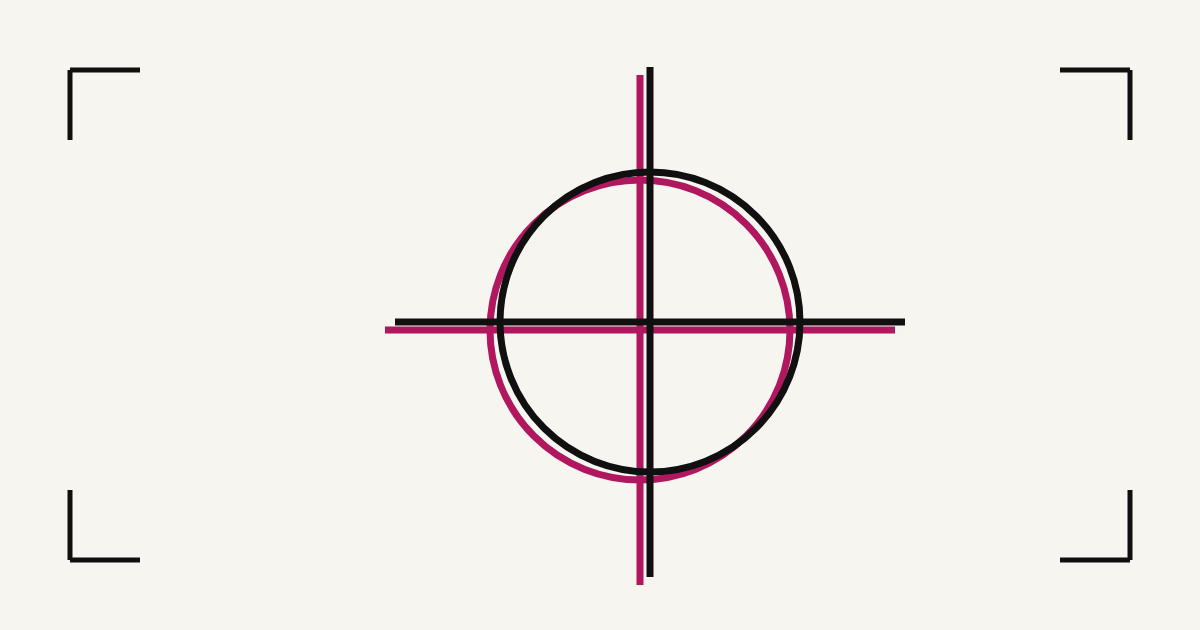
A film that looks fine on the table can still ruin a screen. A check of two minutes, with a lamp and a loupe, finds most of the problems before you spend emulsion on them. These are the ten that show up most.
1. The black is grey
You see: light through the black when you hold the film to a lamp. Why: too little ink, usually a draft or plain-paper setting. Change: media type and print quality first (see printer settings). A faint glow can be fixed with two identical films taped in register.
2. Streaks and banding
You see: pale lines across the black or the dots. Why: a clogged print head. Change: run a nozzle check and a head clean, then print again (printing films on an inkjet).
3. The size is wrong
You see: the film is not the size printed in its label. Why: “fit to page” or another scaling. Change: print at 100%, then measure against the label.
4. The mirroring is wrong
You see: text that reads correctly when it should be reversed, or the other way round. Why: mirrored twice, or not at all. Change: mirror once, in the file, and read the label: if it says MIRRORED, every screen in the job is exposed and printed the same way round.
5. The edges are blurred
You see: soft edges and a halo of grey pixels around shapes. Why: a JPEG, or artwork that was scaled up. Change: save as PNG at 300 PPI at the final size (DPI, PPI and LPI).
6. The dots are smeared or grey
You see: dots that bleed into each other or look grey in the loupe. Why: too much ink for the material, common on tracing paper where the ink soaks in. Change: a different material, or laser printing (tracing paper vs PVC film).
7. The registration marks are missing or clipped
You see: no crosses, or crosses cut off at the edge. Why: the film is bigger than the printable area, or the page was cropped. Change: check the size against the paper, and use a bigger sheet or a panelled film.
8. The film count does not match the inks
You see: more or fewer films than inks you plan to mix. Why: two inks that are really one colour, or an underbase you forgot. Change: merge inks, and count the white underbase as a screen (check your first film set).
9. The dots are too fine for the mesh
You see: tiny dots in the lights and the shadows. Why: a line frequency your mesh cannot hold, so the dots wash out. Change: lower the LPI or go up a mesh (mesh to LPI chart).
10. Fine lines are broken
You see: hairlines that break into dashes or disappear. Why: lines thinner than the mesh can hold (about 0.5 pt, or 0.18 mm, on a fine mesh). Change: thicken them in the artwork before you separate.
A two-minute check
- Hold the darkest film to a lamp: no light through the black.
- Measure it against the size in the label.
- Read one label: screen number, ink, LPI, angle, mesh, size, mirrored.
- Look at the margins: crosses on all four sides, a crop tick in every corner.
- Look at the dots with a loupe: round and clean, not smeared or grey.
- Count the films against the inks.
Common questions
How do I know a film is dense enough?
Hold it flat against a bright lamp. If you can see the lamp clearly through the black, it is not dense enough. Change the media type and quality first.
Why does my film not look like the preview?
The preview shows the colours you chose. The film is always black, and the dots only become tones once ink goes through the mesh.
What size should my film be?
The size printed in its margin label. Print at 100% with no scaling and measure it.
Can I fix a grey black?
Change the printer settings first. A faint glow can also be fixed by printing two identical films and taping them in register.
How thin can a line be?
About 0.5 pt (0.18 mm) is the thinnest positive line on a fine mesh, closer to 1 pt (0.35 mm) on a shirt. Reversed lines need more.
Check your own films
Every film carries a label and registration marks, so the check takes two minutes. Free trial.
Built by a screen printer, for screen printers. What you tell us decides what gets built next. Write a review · Send an idea